Wednesday, May 16, 2018

COMPARISON BETWEEN ANDROID AND IOS

1.    Strictened of application in the Store.
The greatest difference between both stores is that all applications are going to be checked by Apple without exceptions. The application has to meet specific requirements and guidelines for apps by Apple. Therefore the apps must not include inappropriate or abusive content. Due to this procedure, developers should take this into consideration, while developing an app for iOS. The process of verifying the application last approximately 3-4 weeks.

Android, on the other hand, does not have such strict verification procedures. Unfortunately, fake apps regularly appear in the Google Play Store and scammers try to profit on big trends by creating fake apps for those popular apps. It should tempt the users to install more applications. If you’re looking for apps in the Play Store and you feel the slightest doubt about the legitimacy of an app we recommend you read the reviews. In many cases, fake apps become visible due to bad ratings of the fraudulent apps.

FEEDBACK OF ANIMATION CREATOR FOR IOS

     1. Animation Creator by miSoft

Animation Creator HD provides a nice variety of tools for creating drawings that you can bring to life. You can have infinite frames and animations, use layers and an animation scrub tool, and add audio to your creations. Pens, pencils, erasers, spray cans, shapes, and so much more are at your fingertips. Based on the feedbacks, this app is for someone who like to draw beside it provides more features and easy to use.

     2.  Animation Desk by Kdan Mobile Software LTD

Animation Desk Classic lets you create hand-drawn animations. You can choose your frame rate, apply a dynamic background, add music or sound effects, and insert pictures or shapes. You will also enjoy being part of Anizone, which is a YouTube platform for Animation Desk Users to explore and share their creations. Note that some features may require a subscription. 


     3. Animation Pro by Stephen Keen

Animation Pro is an all-inclusive animation tool for iPad. You can create complex figures with built-in options along with scaling, blurring, distorting, and highlighting. Use the Shadow Wizard for realistic shadows, include audio with a variety of possibilities, share, export, and create something amazing. Most of ratings is good which mean it is a good device for iOS.

4.      FlipaClip – Cartoon Animation by Visual Blasters LLC

FlipaClip - Cartoon Animation lets you create unique flipbook-style animations. The app provides drawing, text, and grid tools, onion layers, an animation timeline, and frames manager. With Apple Pencil support and social media sharing, you can create and share something different. Most of the feedback of the customer is a good things, just a few of them ask for more features.

5. FrameFervor – Animation App by Dan Fast

FrameFervor – Animation App is a simple and free tool for iPad. The app has ghosting, layering, looping, and rotoscoping. You can scale, translate, and rotate drawings, export to GIF or movie files, and use a handy stylus.


FEEDBACK OF ANIMATION CREATOR FOR ANDROID

  1.       FlipaClips Cartoon Animation
The feedback of FlipaClips is the apps used fees to make longer animation video or for upload the video, but there are also a good feedback where the customer like the function of the apps that has been run.


2.  PicsArt Animator : GIF and Video
The best part of the application is there is no advertisements. It runs smoothly except it always get glitches. Most of the users said the apps is glitches and the customer did give some opinion to add font for those who are not so good with font. Overall feedback said it is a good apps and some of them said this application is better than FlipaClips.


3.    AnimateIt
The application for pros and students who studied about animation. Its quite complicated to use but most of feedback was said it is a good apps because the feature is very useful. Most of the users also said it is a complicated apps to manage and ask the creators to make it a bit less complicated to use.


4. Animation Studio
It is a good program for creating animations on android. The program can export animation in AVI, FLV (Flash), MP4 (QuickTime), or WMV (Windows Media Player) formats; an unlimited number of layers can be used; import photos from your gallery, camera or from the clipboard. There are eight realistic instruments, band scrolling, and more. Cut unwanted frames from a video. There is also a scroll bar. Most of the feedback said it is a very useful apps eventhough its not a free application. The apps always run smoothly and most of the feedback is the good one.


5. Pixel Animation Studio’s
This application offer an animation that had been created by users can be upload to YouTube, Instagram, Google++ and others. The GIF and Mp4 can be converted to animation and it’s very useful for the beginners. Most of the feedback is a very good feedback and it is very rarely to find a b ad feedback from the users.


Tuesday, May 15, 2018

IOS APPLICATION TO CREATE ANIMATION

1)    Animation creator Hd free
This app have simple and powerful drawing tools, use the convenient  management framework.
Main features of this app are;
·         Can import video from the camera
·         Easy navigation
·         The toolbars can remain opened while editing.


2)   StopMotion Recorder
This app obtained from time-lapse imaging of the subject.
Main features of this app are;
·         Can remove unwanted frames
·         Change the playback speed of video playback
·         Can add convenience when shooting.


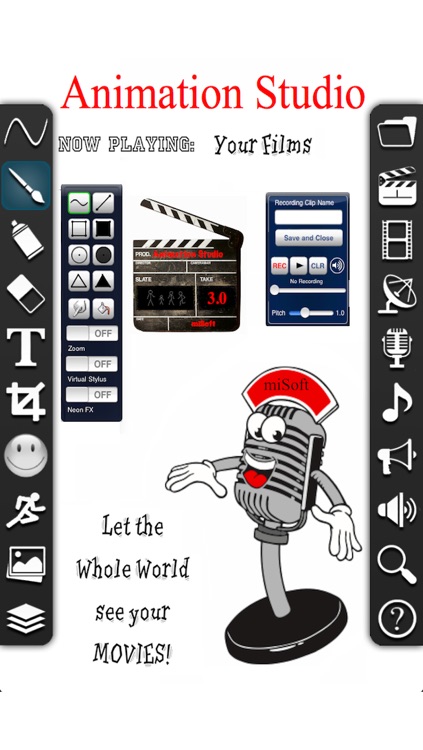
3) Animation studio by miSoft
      You can create a unique mobile animation.

      Main features of this app are;
·         You can produce cartoon in difference characters,
·         add music
·         sound dubbing voice.

Image result for Animation studio by miSoft


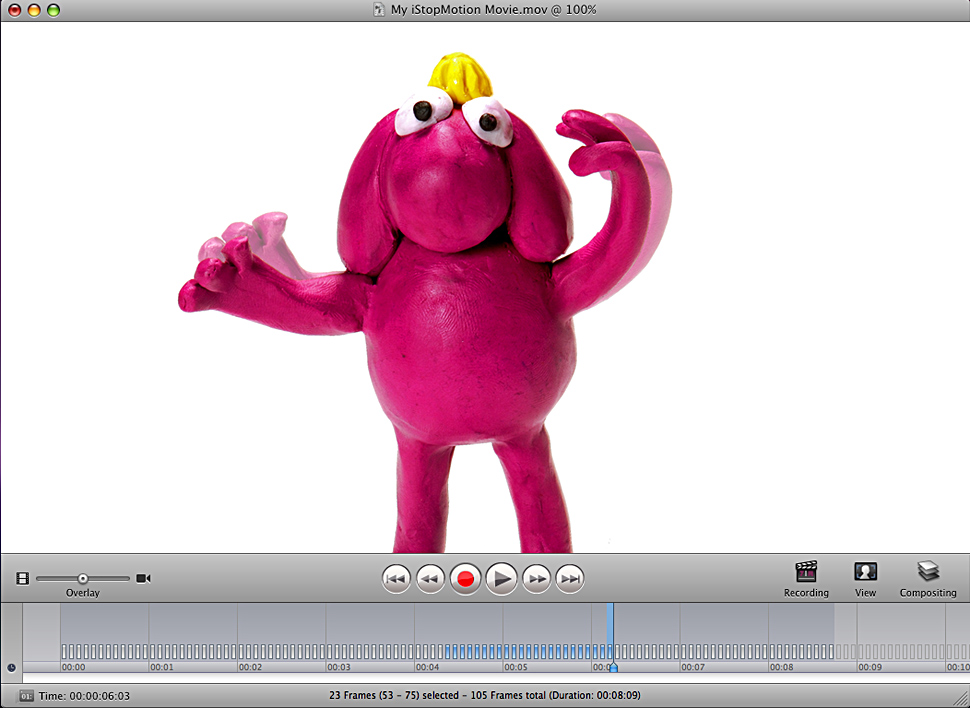
4) iStopMotion 3
You can use this app for create a stop-motion animation.
Main features of this app are;
·         Virtual platform.
·         Additional of video tips
·         Support for HD video cameras.

Image result for iStopMotion Software 


ANDROID APPLICATION TO CREATE ANIMATION

1) FlipaClip – cartoon animation


You can draw your own cartoon animation using frame by frame animation.
Main features of this app are;
o   Drawing tools.
o   Build animation.
o   Text tool.
o   Onion and animation layers.
o   A great frame manager.


2)     Animate it !

This app has built in skins for characters and object. Example object is hat, sword, guitar, and badminton.

 Main features of this app are;
o   Skin selection
o   Land creation
o   Character selection
o   Create and edit a scene


3)  Draw cartoons 2

This app provide a lot of features that make it easy to create animation.
Main features of this app are;
·         You can add voice over cartoon.
·         Build smooth animation
·         Export the project in video file.


4)  Anitales – make story

This app is best solution for doing carton story. You can choose any scene from available ones like weather, music, props and skies.
Main features of this app are;
·         Add animation.
·         Record your own voice to roles.
·         Scenes available already.
·         Export published cartoon video to YouTube.


5) PicsArt


This app have more stickers and emoji. You can mix and match animation with your real life images and clips.
Main features of this app are;
·         Can add sticker
·         Track its movement
·         Good for mixing animation with real photos.


IOS VERSION

iOS 11 brings hundreds of new features to iPhone and iPad including an all-new App Store, a more proactive and intelligent series, improvements to Camera and Photos, and augmented reality technologies to enable immersive experiences. iOS 11 is also the biggest release for iPad ever and adds powerful new multitasking features, a new Files app and more ways to use Apple Pencil.


ANDROID VERSION


LATEST ANDROID VERSION


Android Oreo is far and away the best version yet of Google’s wildly popular mobile operating system. It takes everything great about earlier Android builds and mixes in a number of important new features and refinements. Some features like faster boot times and background activity restrictions help improve speed and battery life. Other new additions such as login autofill and picture-in-picture offer convenience.

TUTORIAL CREATE ANIMATION


ISSUES ON USING ANIMATION VIA IOS (iOS 10)

  • Non-Crashing (Visual or otherwise) Bug
  • Regression (Something that once worked doesnt work anymore)

After the app comes back from a background with an infinite animation. The animation is stopped. This is just how Apple handles animations. CAAnimations are stopped and removed when the app is backgrounded. If you pause the animation before the app is backgrounded the state will be preserved so you can play again when the app is foregrounded.

ISSUES ON USING ANIMATION VIA ANDROID (FLIPACLIP)


While working with the animation you will likely use the play button a bunch of times to preview how your animation is going. In an ideal world the live playback will play at the frames per second, FPS, that you have set under the project settings. However, there are cases when that doesn't happen.


The main reason why it can't play a live preview at the set FPS is because the phone or tablet can't load the images fast enough to show them to you. This causes delays which causes the frame rate to be lower thus your animation seems to be going slower.

PROS AND CONS OF USING ANIMATION


PROS 


CONS


Brings a topic to life

Needs skill in using the animation software such as Flash
It gains the attention of the viewer

Takes a lot of effort to create even a basic animation

Can be fun to watch

Too much animation on a page can be distracting and even annoying - for example too many animated adverts on a page
Educational games and quizzes allow the visitor to interact and learn.

Can take up a lot of bandwidth, so will take too long to show over a slow internet connection
Can convey a lot of information with very little text or sound required

Needs the correct 'add-in' to view the file format

Easily understood by people with poor literacy skills or who don't speak the language

Need specialist software and skills to create the animation
Can be custom made for a company to convey a particular message

Can produce large file sizes which take up a lot of hard disk space or can be slow to download
Good for catching peoples' attention very quickly

Can distract users from concentrating on key information

Can convey information in a fun, lighthearted way

Animation needs to use fairly basic graphics and effects otherwise it can cause 'information overload'.


COMPARISON BETWEEN ANDROID AND IOS

1.      Strictened of application in the Store. The greatest difference between both stores is that all applications are going to be chec...